Weighted averages,
made straightforward.
Your units matter. Calculate your average using included numeric grades, weighted by each subject’s units.
See how it’s calculatedA little clarity for every semester
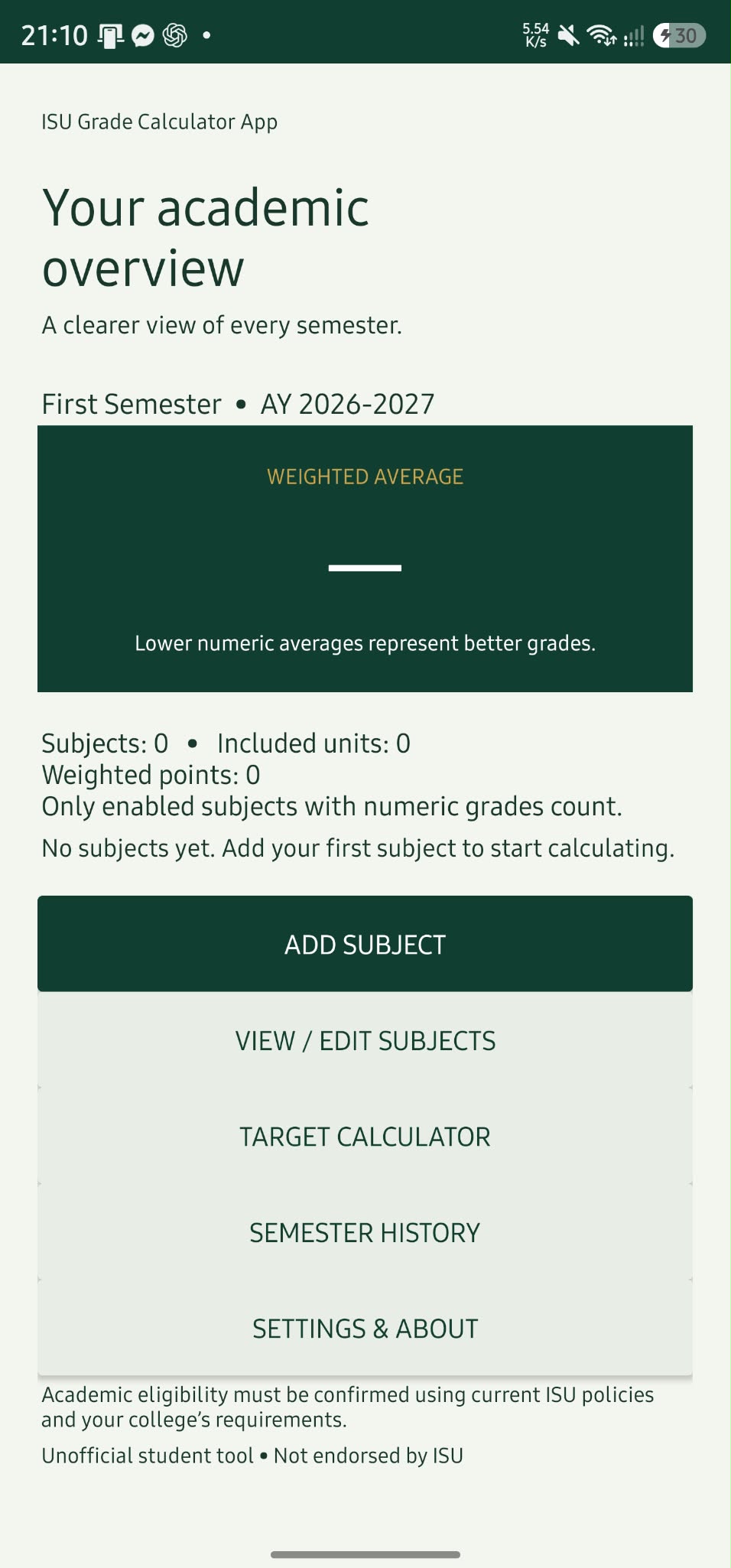
Know where you stand, and where you want to go. Calculate weighted averages, keep your subjects organized, and work toward your target with ISU GradeMate.
Works offline. Your records stay on your device.
1.70from 5 units
| Subject | Units | Grade |
|---|---|---|
| Subject A | 3 | 1.50 |
| Subject B | 2 | 2.00 |
BUILT FOR YOUR STUDENT ROUTINE
From your first subject to your next goal, keep the numbers manageable.
Your units matter. Calculate your average using included numeric grades, weighted by each subject’s units.
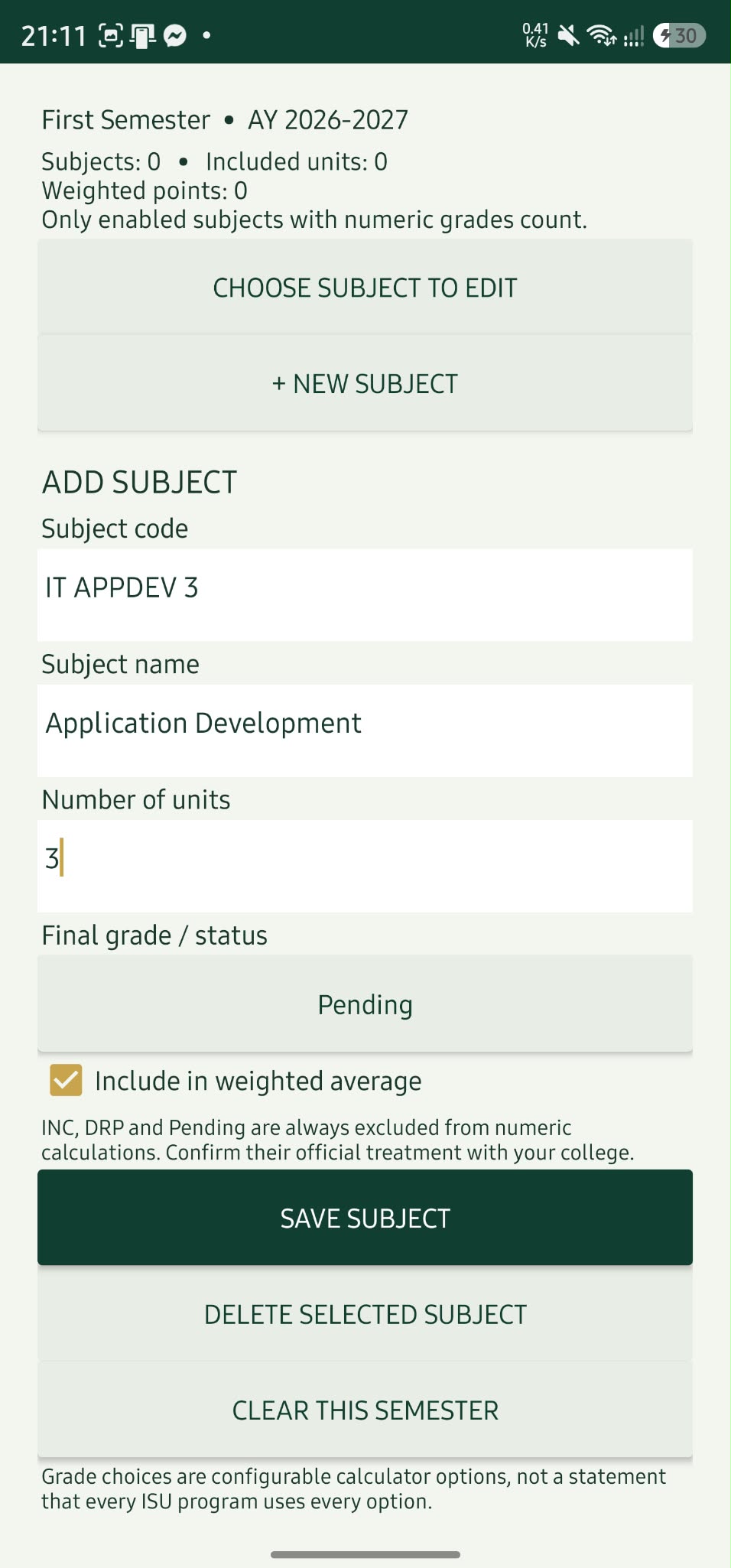
See how it’s calculatedAdd and edit subject codes, names, units, and grades as your semester progresses.
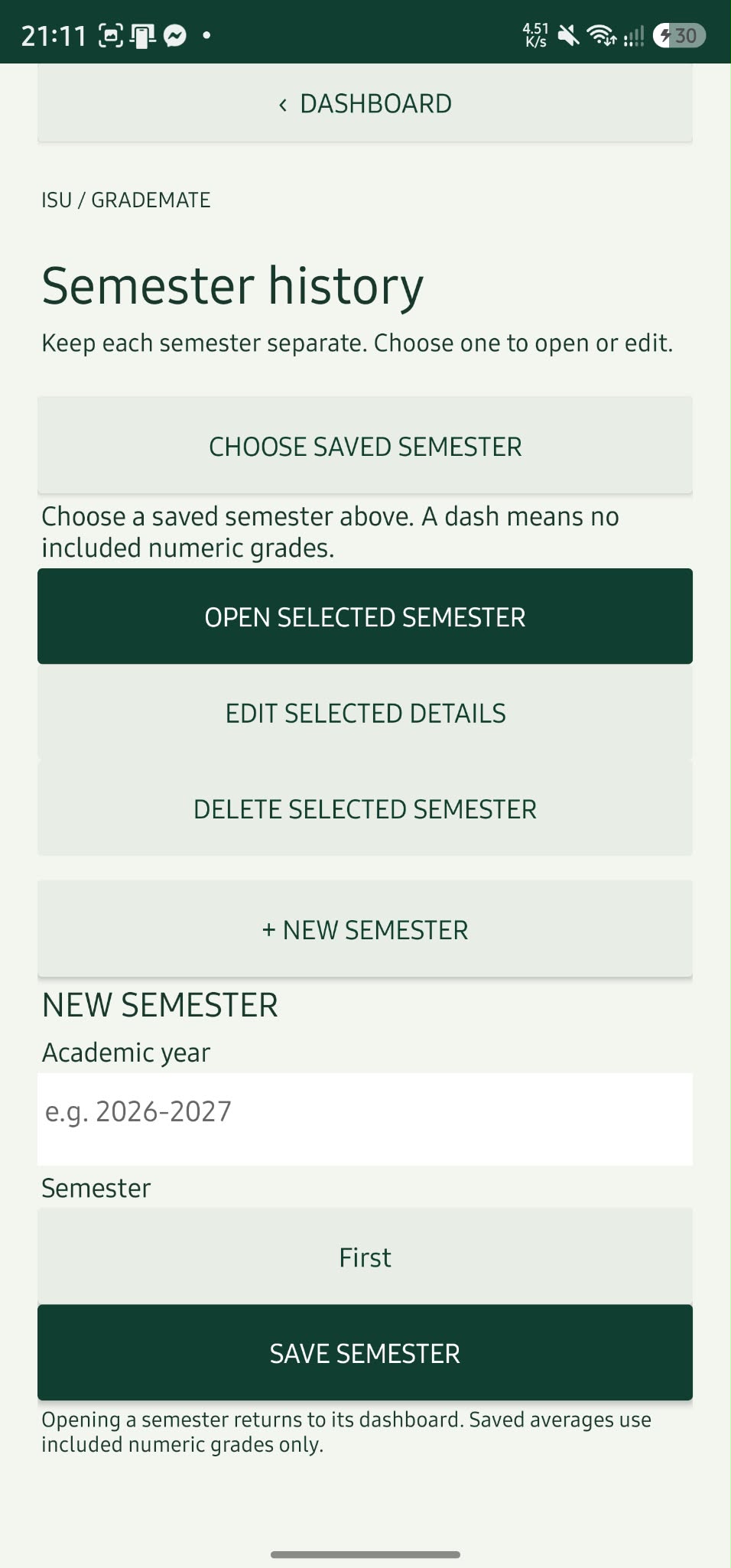
Keep saved semesters in Semester History and open the one you want to review.
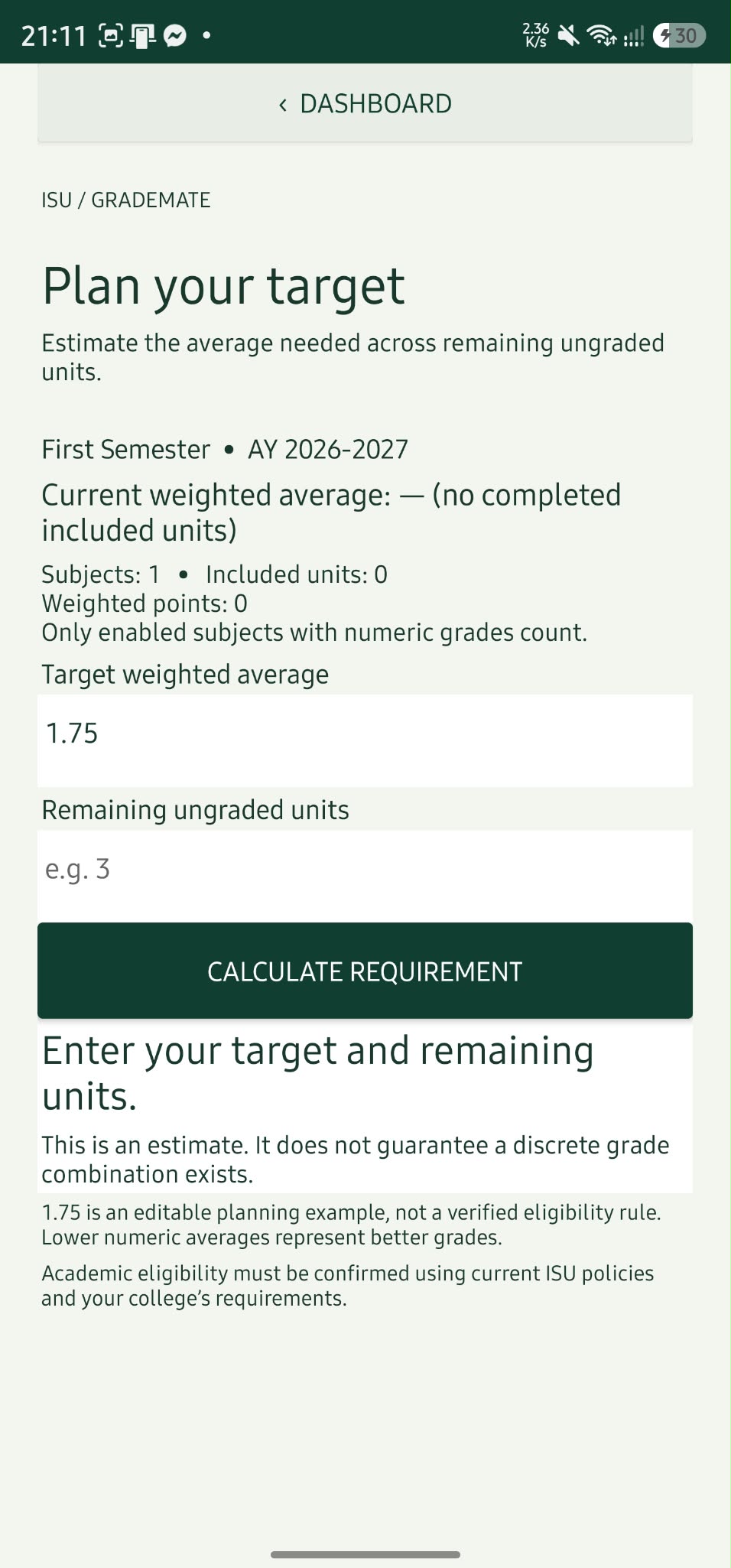
Use the Target Calculator to estimate the average needed across your remaining ungraded units.
Your records are stored on your device, so you can work on your grades without an internet connection.
A LOOK INSIDE
Real screens from ISU GradeMate. Select any screenshot to take a closer look.
HELP & SUPPORT
Getting started or checking a calculation? Find your next step here.
A note on your resultsGradeMate is a planning tool. Confirm official grading and eligibility rules with your college.
Open Add Subject, enter the subject code, name, units, and grade, then save it. The app weights included numeric grades by their units.
(1.50 × 3 units + 2.00 × 2 units) ÷ 5 units
Weighted average: 1.70Check that Include in weighted average is selected for the subject. Grades marked INC, DRP, or Pending are excluded from numeric calculations.
Open Semester History, choose a saved semester, then tap Open Selected Semester.
Open the Target Calculator and enter a target weighted average and your remaining ungraded units. The result estimates the average you need across those units. It is a planning estimate, not a guarantee of final grades or eligibility.
Your records are stored on your device. Reset All Data permanently removes the app’s records, so only use it when you intend to clear them.
Download the APK below, then open the downloaded file. If Android prompts you, allow installation from the browser or file manager you used. Tap Install, then open the app.
The supplied APK may appear as ISU Grade Calculator App in Android.
YOUR NEXT SEMESTER STARTS HERE
Keep your grades in view and your goals within sight. Get ISU GradeMate for Android.
Save the Android installation file to your device.
Open the file. If prompted, allow installation from the browser or file manager you used.
Tap Install, open the app, and add your first subject.